How to improve your Google Ads campaigns performance by Cutting Costs and Raising ROAS
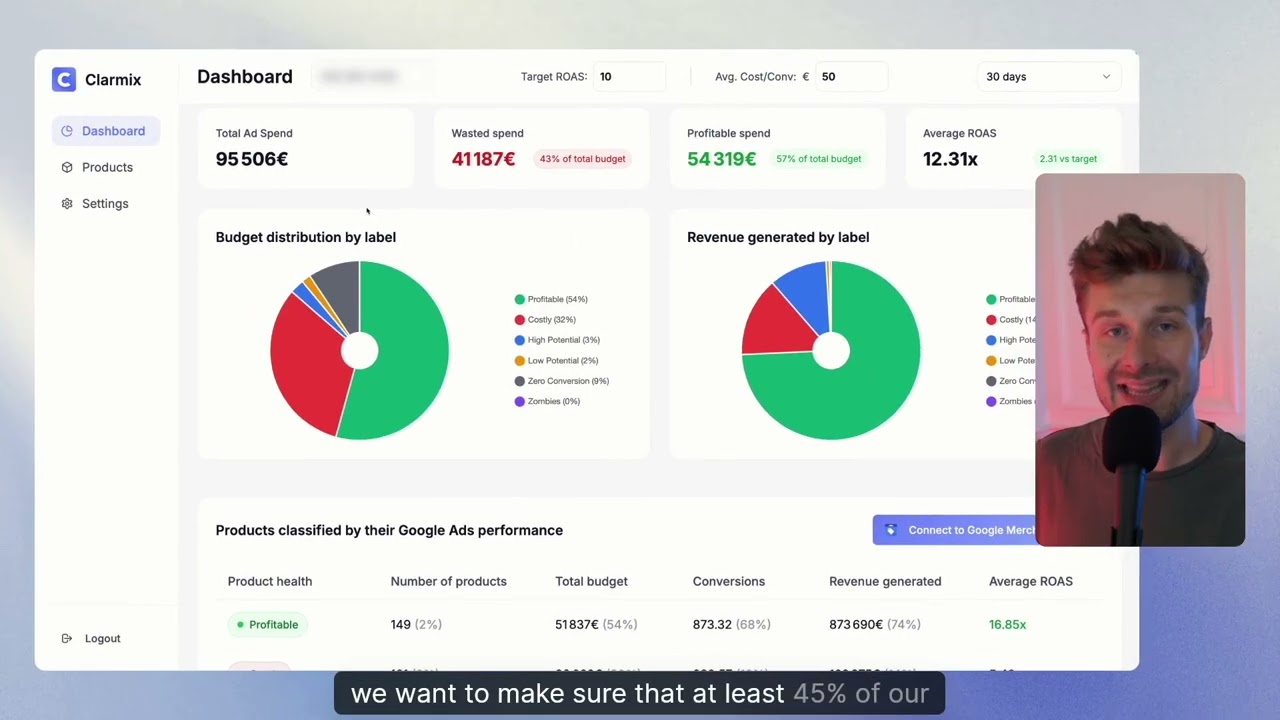
If you run Google Ads campaigns for your e-commerce store, you know the constant struggle: how to stop wasting budget on low-performing products and focus spend on winners. Clarmix is a lightweight tool designed to analyse Google Shopping performance, label products by profitability, and push actionable changes back into your campaigns. In this article, I’ll walk you through the dashboard, product labels, settings, and the exact actions you can take to improve your Google Ads campaigns e-commerce results.
Table of Contents
- Why use Clarmix for Google Ads campaigns e-commerce?
- Dashboard: quick health check for your Google Shopping feed
- Product labels: the six groups that drive decisions
- Products tab: drill into each SKU
- Settings: set your target and conversion lag
- From insight to action: exclude, bid down or reallocate
- Conclusion
- FAQ
Why use Clarmix for online brand's Google Ads campaigns?
Clarmix helps you answer the core question of every e-commerce or traffic manager: is my budget being spent on profitable products? The app filters for statistically reliable products (those that have spent over a configurable threshold), calculates real ROI against your target cost per conversion, and labels items into actionable groups so you can quickly reallocate or exclude products inside campaigns.
Dashboard: quick health check for your Google Shopping feed
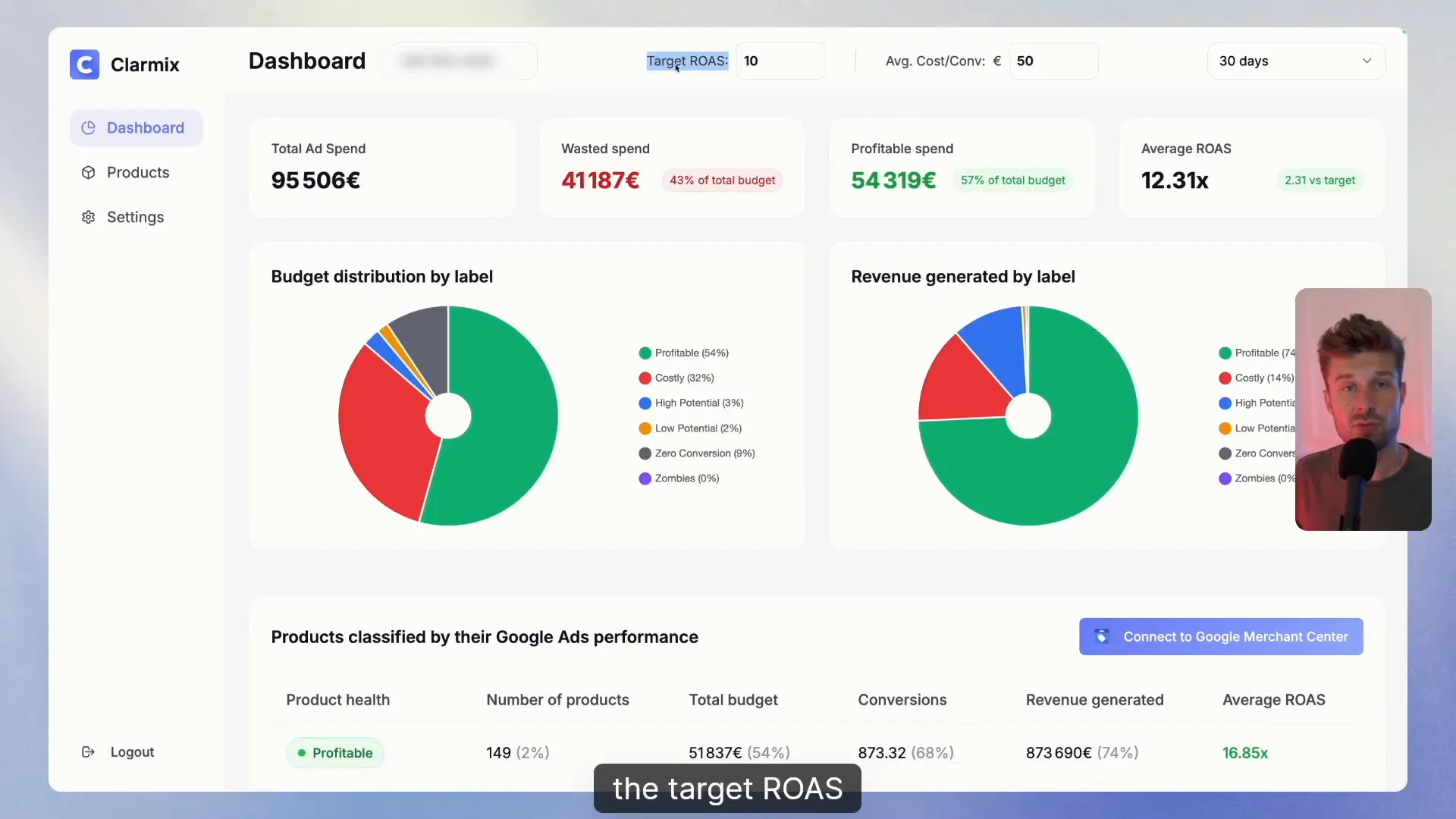
The dashboard is your starting point. Two key settings determine how Clarmix evaluates performance:
- Minimum spend threshold: products that spent more than this amount are considered reliable (the demo uses €50).
- Timing window: the lookback period used to compute averages (the demo uses 30 days).
With those inputs Clarmix computes metrics such as average cost per conversion across products and compares it to your target. For example, if your average cost is €12.30 and your target is €10, you’re €2.30 above target overall — a quick signal to dig into which products are dragging results down.
Product labels: the six groups that drive decisions
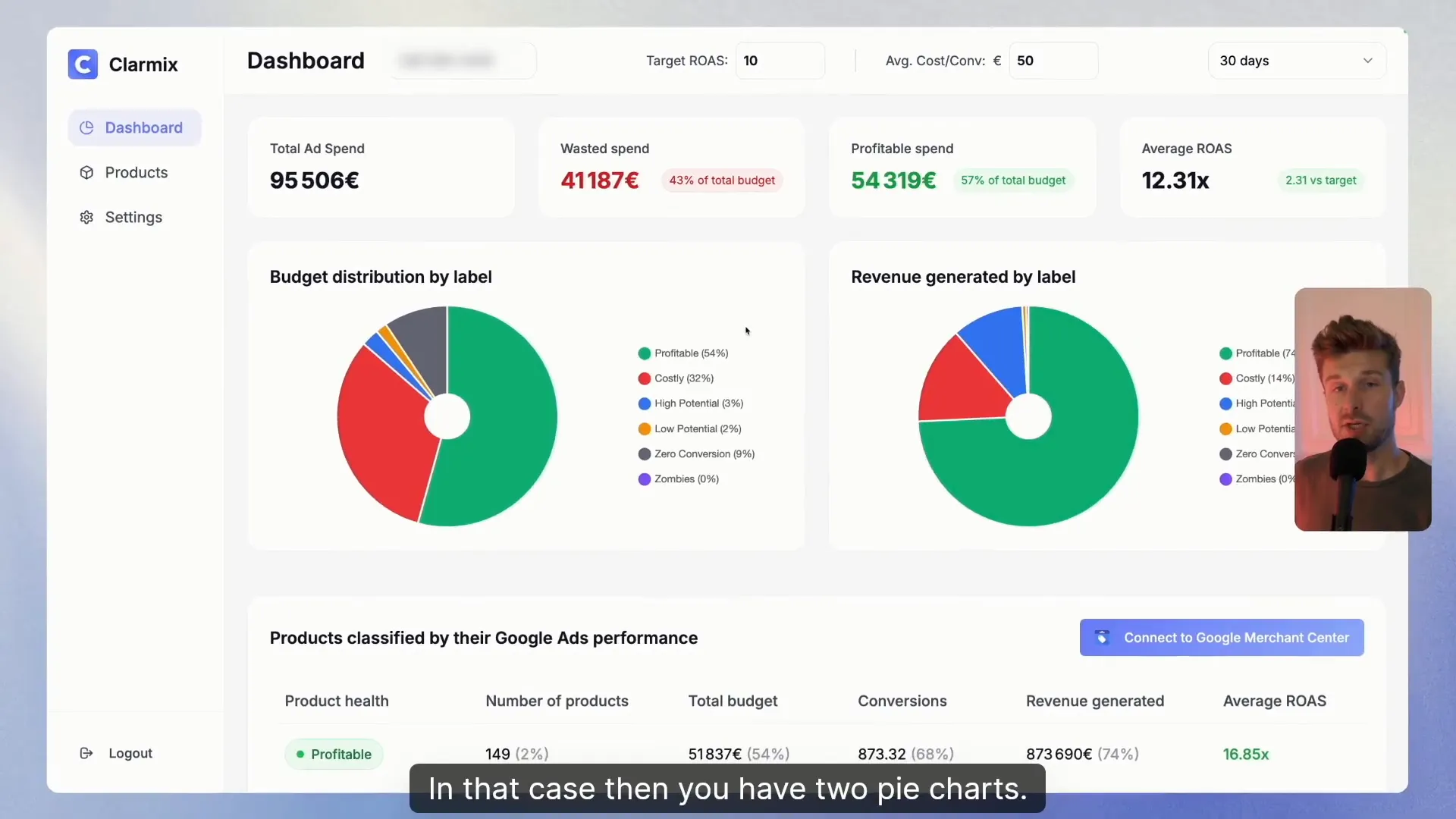
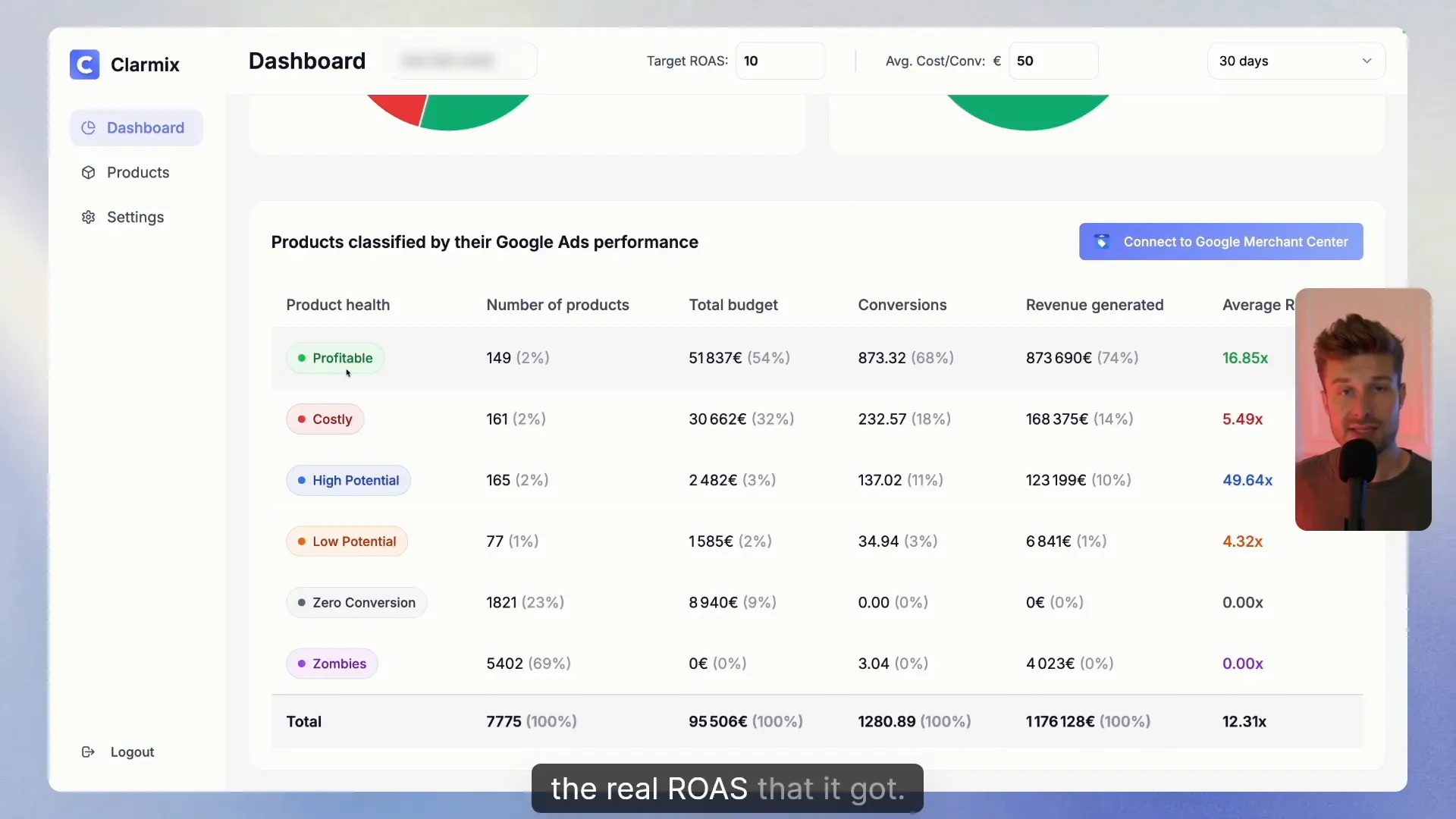
Clarmix classifies products into six labels so you can prioritize action. Labels are based only on products that pass the minimum spend threshold (reliable data). Common groupings include:
- Profitable: products with ROI better than your target.
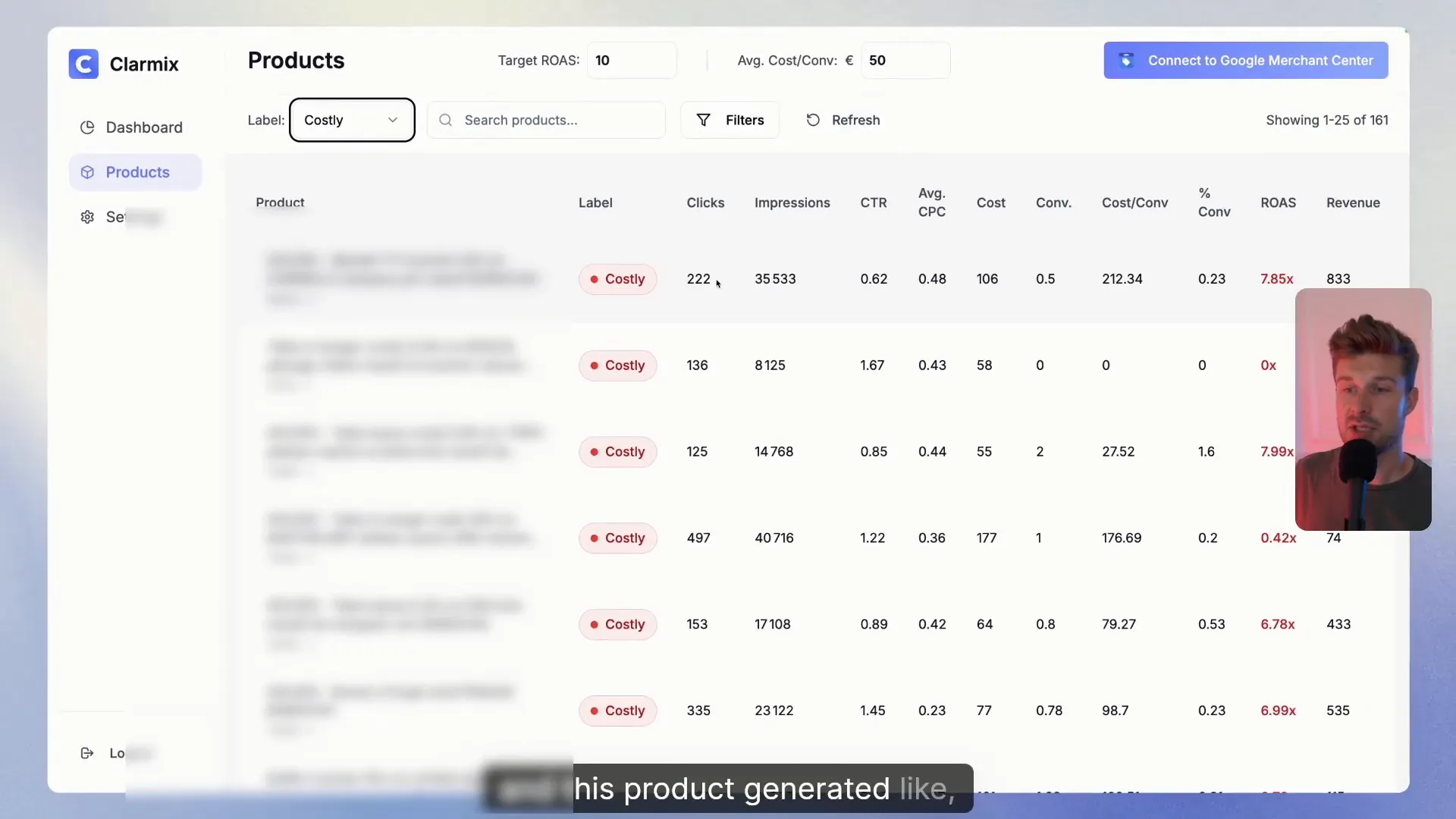
- Costly: products that exceed your target cost per conversion.
- Zero conversions: products that accumulated spend but generated no sales — immediate candidates for pause/exclusion.
- Dormant: products with no spend (potential winners that need exposure).
- Other internal labels that help you split winners, losers and items to test.
Understanding the distribution matters: in the demo, 54% of SKUs generated nearly 74% of revenue — a clear sign that budget can be concentrated on a smaller set of winners to improve overall ROAS.
Products tab: drill into each SKU
The products tab lists every SKU with clicks, impressions, conversions and up-to-date metrics. This is where you confirm hypotheses from the dashboard and decide which specific SKUs to act on. Use sorting and filters to reveal the worst offenders (high spend, zero conversions) and the long-tail winners that deserve more budget.
Want to check how your Google Ads are performing? |
|
Analyse your Google Ads data for free, with not limitations! |
| Sign up for free |
Settings: set your target and conversion lag
Before taking action make sure your targets are correct. Two settings to configure:
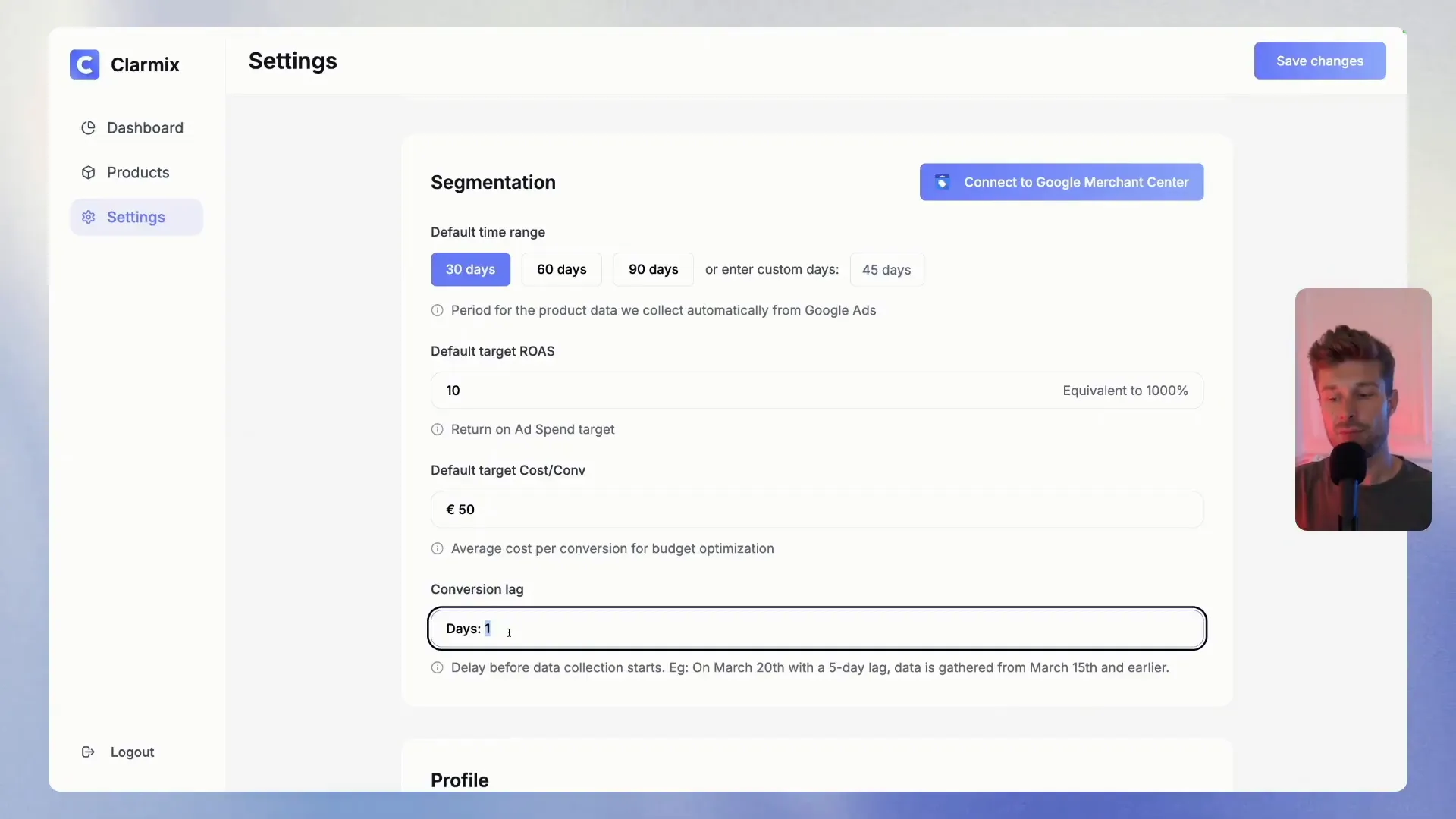
- Default target cost per conversion — Clarmix compares each product against this value (demo uses €50).
- Conversion lag — account for the real-world delay between click and conversion. If many purchases convert after several days, set a lag (7, 10 days or more) so recent clicks aren’t misclassified.
Adjusting these values to reflect your business will make the labels meaningful and the suggested actions reliable.
From insight to action: exclude, bid down or reallocate
Clarmix doesn’t stop at labelling — it lets you take actions directly on campaigns. Examples of actions:
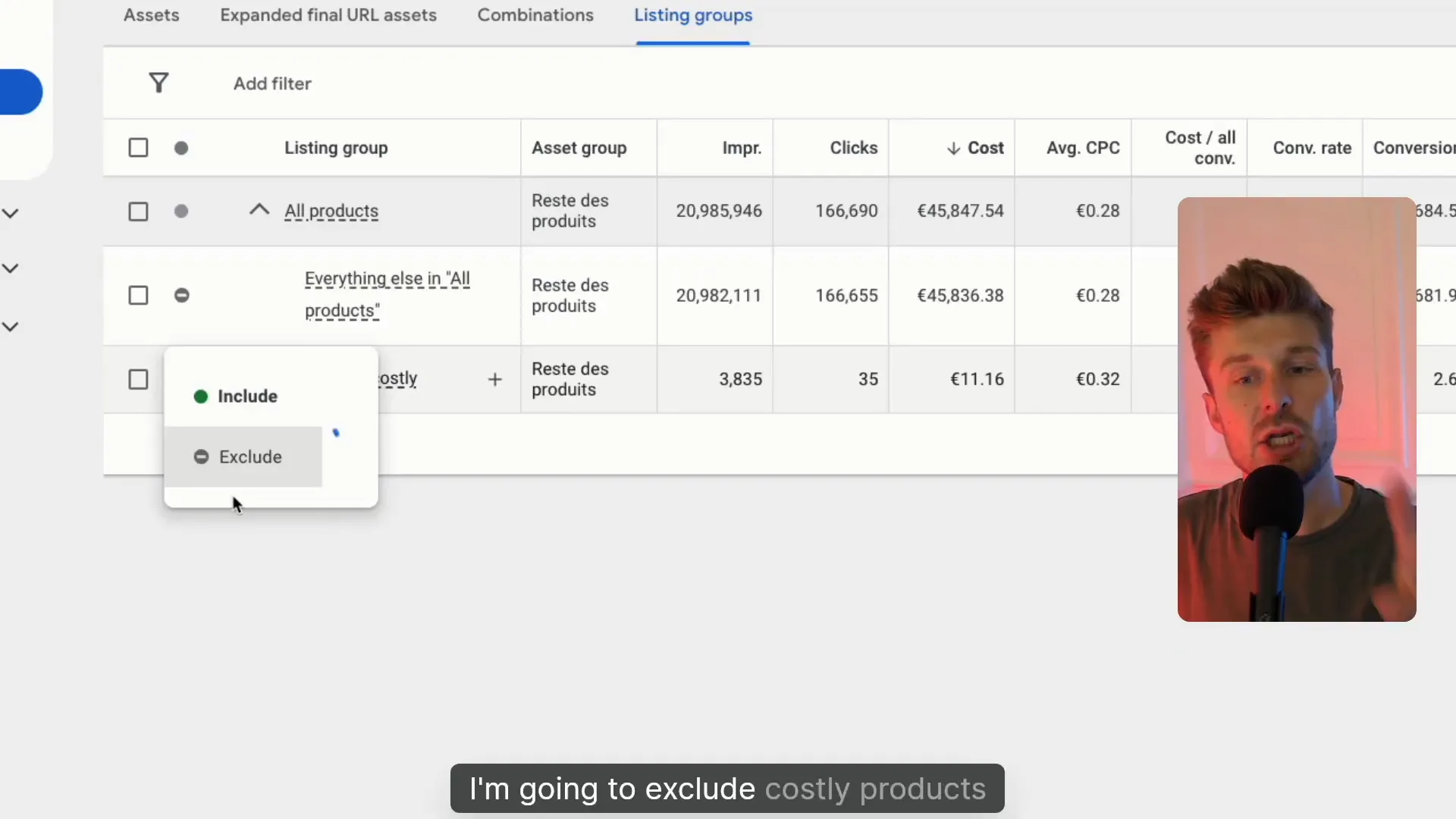
- Exclude costly products from a Performance Max or Shopping campaign to stop waste.
- Prioritize profitable SKUs by moving them to dedicated campaigns or feeding them more budget.
- Test dormant products by creating targeted placements to gather first-party data.
In the demo, excluding costly products from a PM
ax campaign immediately prevents further budget wastage and lets the campaign spend on profitable SKUs only — a simple move that improves Google Ads campaigns e-commerce efficiency.
Conclusion
Clarmix is a practical layer between your Google Merchant Center and Google Ads that converts data into actions, using XML files that update in real time.
For anyone running Google Ads campaigns e-commerce, it speeds up the identification of costly SKUs, protects budget from underperformers, and helps focus investment where it actually drives revenue. If you want faster wins and a clearer path to higher ROAS, Clarmix is worth trying.
FAQ
How does Clarmix determine which products are reliable?
Clarmix uses a configurable minimum spend threshold (e.g., €50) and a timing window (e.g., 30 days). Only SKUs exceeding that spend in the window are considered reliable for labeling and comparisons.
Will Clarmix make changes to my Googl
e Ads account automatically?
Through an XML file, Clarmix allows you to push actions like excluding products or reallocating SKUs, but you control which actions run. Always review suggested changes before applying them.
How should I set conversion lag?
Check your Google Ads conversion data to see the typical delay between click and purchase. If many conversions happen days after the click, set the conversion lag to cover that period (7–10 days or more) to avoid misclassification.
Is Clarmix suitable for small shops running Google Ads campaigns e-commerce?
Yes — particularly useful if you run many SKUs. By automatically grouping products into action-oriented labels, Clarmix helps small teams make data-driven decisions without manual spreadsheet work.
Where can I get support or suggest features?
We offer an in-app chat (bottom-right) for questions and feature requests. The team is open to ideas and improvements.
Want to check how your Google Ads are performing? |
|
Analyse your Google Ads data for free, with not limitations! |
| Sign up for free |

