The Google Shopping Feed Optimizations can completely change your product visibility, the number of client clicks and even the sales from those clicks. This guideline will show you the details for priorities, a plan of action, and a list of things to fix to increase visibility, CTR, and conversion from Shopping ads.
Table of Contents
- Why Google Shopping Feed Optimizations matter
- Who should use this guide
- Top-priority checklist (apply in this order)
- 1. Pricing: the single strongest signal
- 2. Titles: where word order matters most
- 3. GTIN and unique identifiers
- 4. Images and creative: add lifestyle shots, not just studio photos
- 5. Descriptions: useful, but lower priority than titles
- 6. Categories, product_type, and custom labels
- 7. Full-attribute strategy
- 8. Tools to scale feed optimization
- Implementation workflow (practical step-by-step)
- Common mistakes and things to watch out for
- Quick testing matrix (what to A/B test)
- FAQ
- Summary and next steps
Why Google Shopping Feed Optimizations matter
A product feed is the signal hub Google uses to match shoppers to your inventory. Better feed data means clearer matches, higher relevance, and more auctions won. The most impactful optimizations improve ranking signals (titles, GTINs, attributes), creative quality (images, lifestyle shots), and feed hygiene (diagnostics, categories).
Who should use this guide
- Retailers running Google Shopping, Performance Max, or free listings.
- Merchants with 10 to 100,000 SKUs who need a prioritized action plan.
- Paid search managers looking to improve CTR, impressions, and conversion efficiency.
Top-priority checklist (apply in this order)
- Price validation — ensure feed prices match checkout and are competitive.
- Title optimization — frontload top search terms in the first 30–70 characters.
- GTIN/Identifier — add correct GTINs or mark identifier as absent when appropriate.
- Images — add lifestyle and higher-resolution images as additional images.
- Diagnostics — resolve Merchant Center errors and monitor the history tab regularly.
1. Pricing: the single strongest signal
Acquiring the price, in view of, often a user is deciding whether to click or buy or not. If there are several vendors that deal with the same item, the person who offers the cheapest price stands a great chance of winning the click. Steps:
- Keep feed price identical to checkout price—no bait-and-switch or hidden fees.
- Use sale_price and sale_price_effective_date for legitimate promotions.
- Monitor competitor price gaps and test margin-based bidding or exclusion for uncompetitive SKUs.
2. Titles: where word order matters most
Headlines are primary CTR and ranking indicators. Concentrate on the natural language of 30 to 70 characters and use a query view that matches customer interests.
- Frontload the most important keyword (brand for strong brands; product benefit or use case for generic products).
- Include critical attributes: size, color, gender, capacity when relevant.
- Avoid all caps, excessive punctuation, and keyword stuffing.
Example title patterns:
- Branded apparel: Nike Air Zoom Men’s Running Shoes Size 10 Black
- Generic product: Pet-Friendly Washable Sectional Sofa Modern Grey HomeReserve
3. GTIN and unique identifiers
Global Trade Item Numbers (GTINs) let Google identify the exact product and auto-assign categories. If available, add correct GTIN, brand, and MPN for resold items. If a product truly has no GTIN, set identifier_exists to no.
4. Images and creative: add lifestyle shots, not just studio photos
The main image regulations still necessitate a transparent product layout (mostly white background). Extra images afford lifestyle scenes, which enhance CTR. Use gadgets for the generation or modification of images remotely.
- Keep the main image compliant, but upload 1–3 lifestyle images to increase clicks.
- Use background removal, higher resolution, and context shots for furniture, apparel, and home goods.
- Test AI-assisted image generation for lifestyle images, but validate that the product remains accurate and not misleading.
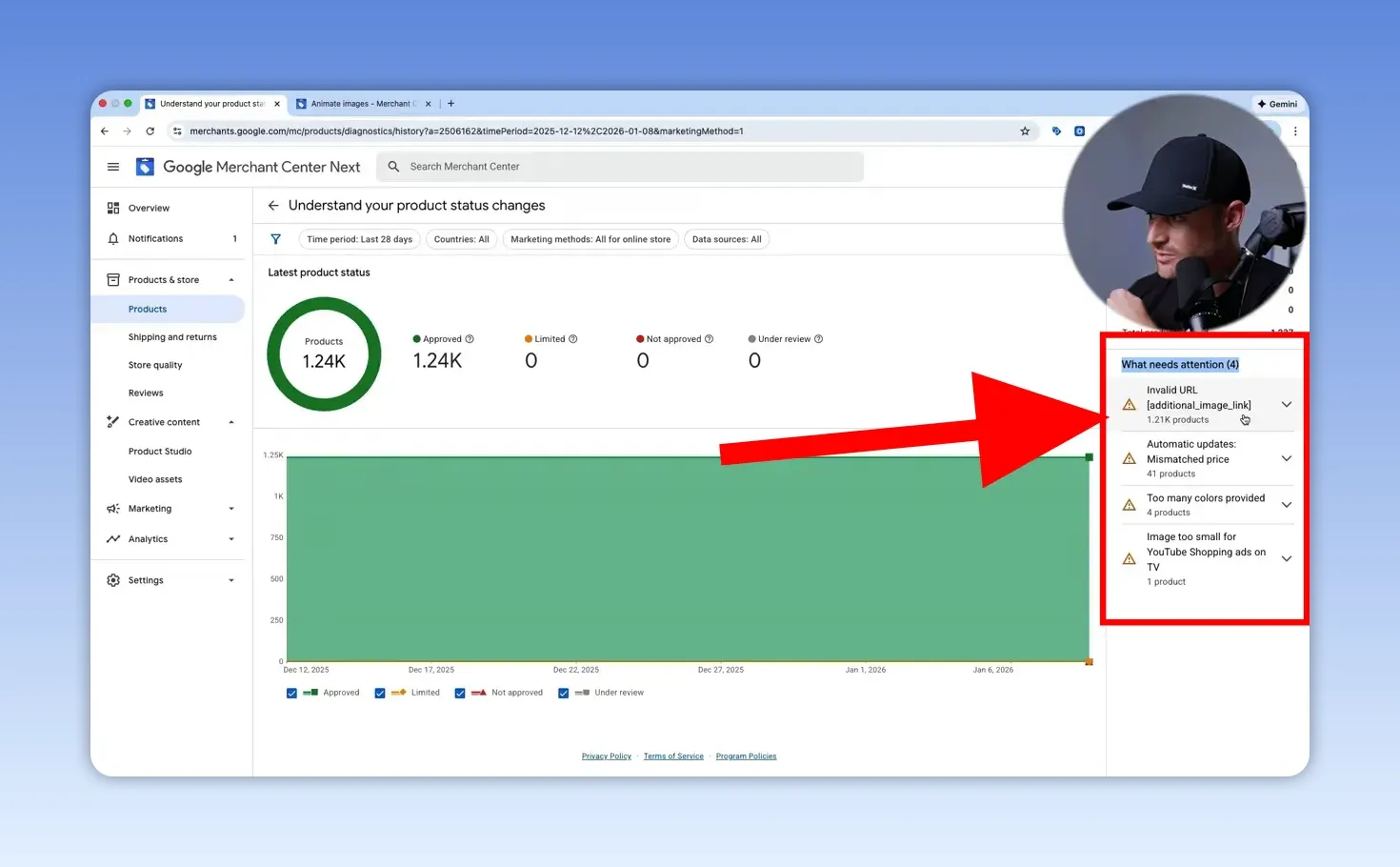
Monitor the Merchant Center diagnostics history to fix image, price, and feed errors before they affect performance.
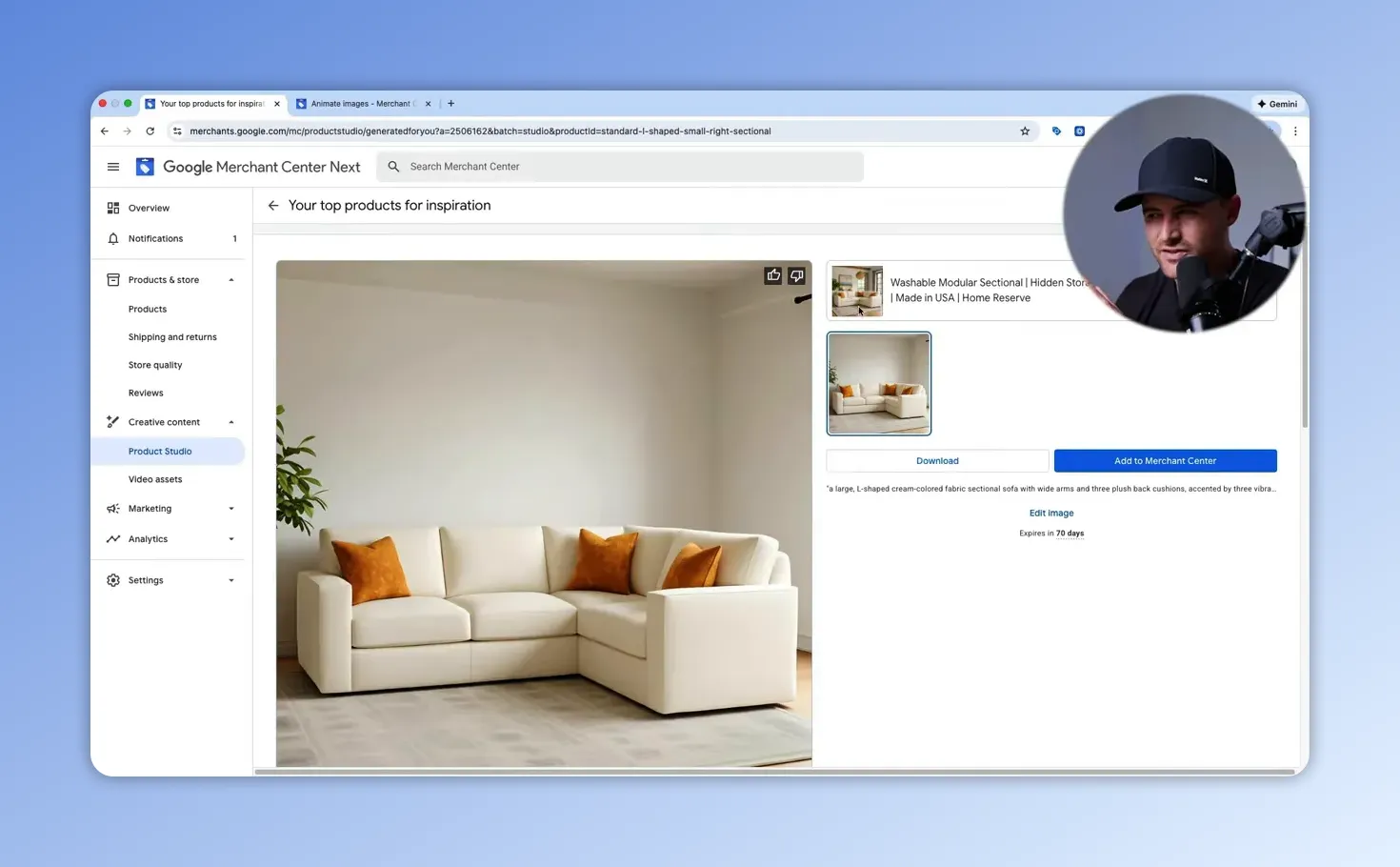
Google Product Studio and all other AI image tools can easily create contextual scenes. Use them to generate variations for A/B testing with your baseline photos.
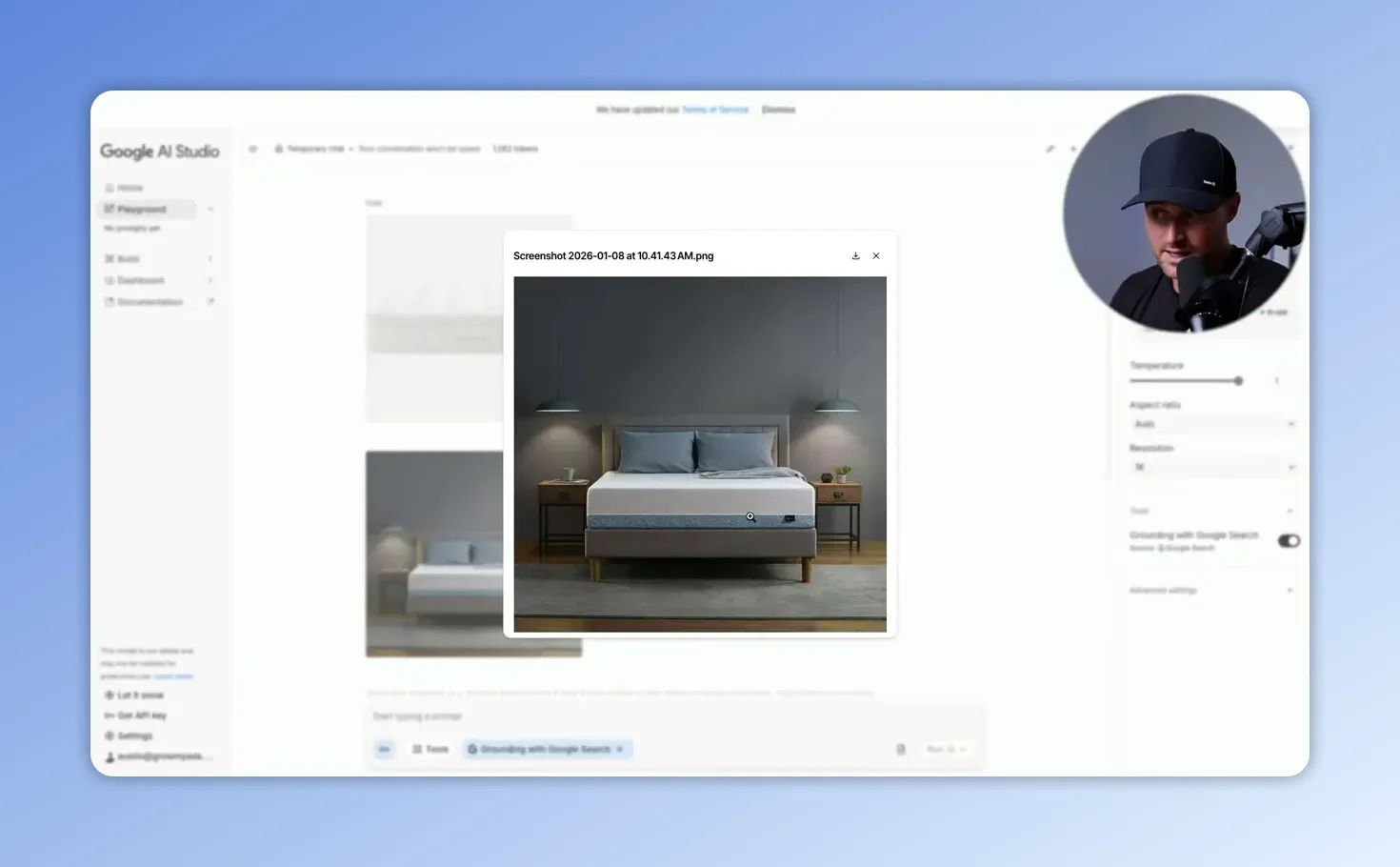
When you apply the generative AI, reference scene and short, concise prompts should be provided. Also, it is crucial to check if the generated image is the exact actual product.
For this part, I highly recommend the video from Grow My Ads:
5. Descriptions: useful, but lower priority than titles
Details aid in acquiring secondary keywords as well as delivering the pros and features. Adhere to the 80/20 rule: Use the maximum energy to bring the titles and images to their best; improve your best-selling SKUs descriptions only.
- Write naturally, include key features and use cases.
- Do not copy competitor descriptions or stuff keywords.
6. Categories, product_type, and custom labels
Google is capable of automatically allotting if the GTINs are accurate. Monitor for possible misclassifications in niche SKUs.
Category: this is to be used for the internal grouping and also for the structuring of the campaigns.
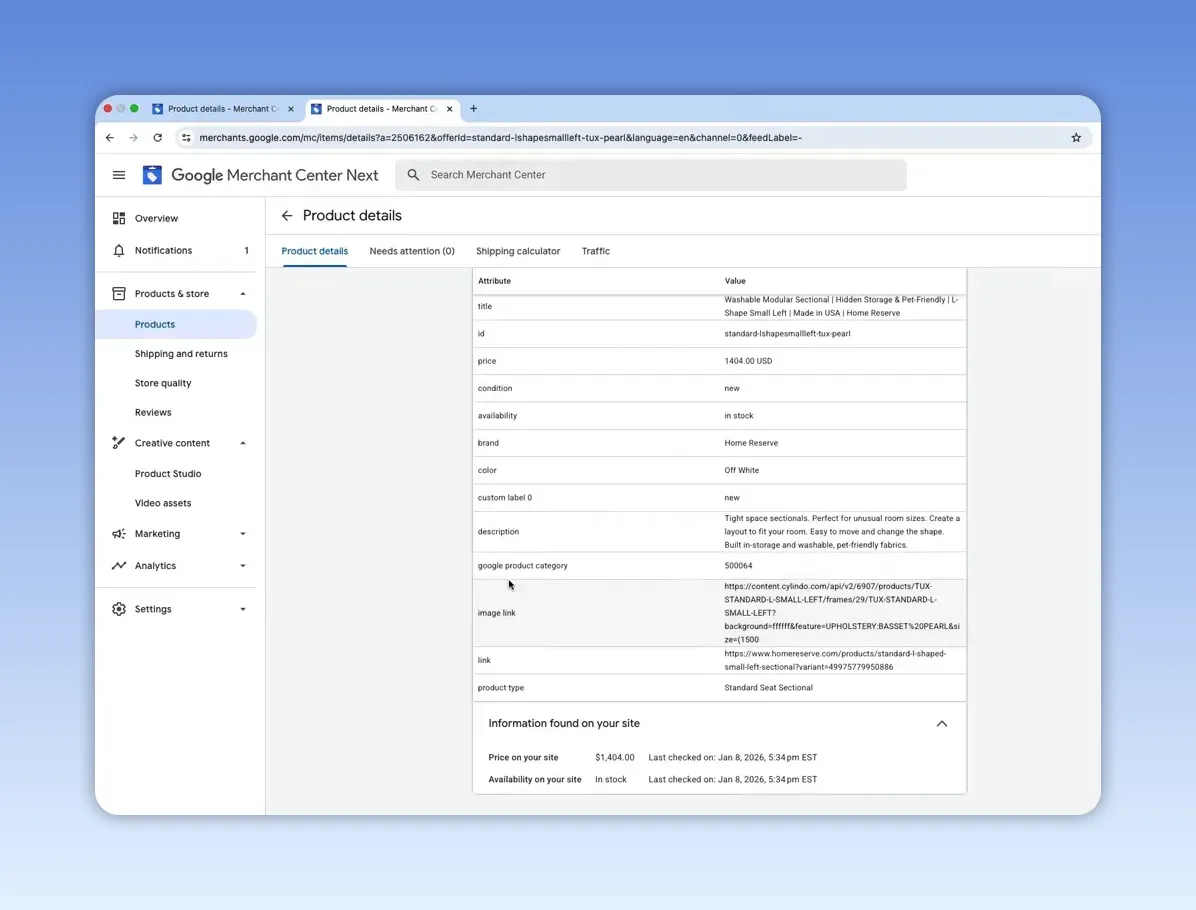
Custom labels: use up to five custom_label fields to segment campaigns for promotions, margin tiers, seasonality, best sellers, or lifecycle status. These labels do not affect ranking but are essential for campaign management.
7. Full-attribute strategy
Given that more attributes are provided to be relevant (material, pattern, age_group, size, color), the more efficiently Google is able to match queries. Provide priority to those attributes that customers employ for decision-making, like size for clothes, color/capacity for electronics, and materials for furniture.
8. Tools to scale feed optimization
For large feeds, use a feed management tool rather than manual edits in Merchant Center:
- Clarmix — laser-focused on two use cases: product scoring & feed enrichment.
- Channable — strong mid-market option with flexible rules and support.
- Feedonomics — enterprise-grade, hands-on service for very large or complex catalogs.
- DataFeedWatch — cost-effective DIY tool for smaller catalogs.
Implementation workflow (practical step-by-step)
- Run Merchant Center diagnostics and export current feed errors.
- Fix critical issues: price mismatches, disapproved products, missing identifiers.
- Pick top 5–10 SKUs by revenue or impressions.
- Update titles (first 30–70 characters) for those SKUs and upload as feed changes.
- Create 1–2 lifestyle additional images for those SKUs and upload them.
- Monitor impressions, CTR, and conversions for a 7–14 day run.
- Iterate: expand changes to next group of SKUs based on results.
Common mistakes and things to watch out for
- Price baiting: never put a lower feed price that increases at checkout.
- Over-optimization: stuffing titles with many keywords makes listings unreadable and can hurt CTR.
- Misleading images: AI-generated images must represent the actual product.
- Ignoring diagnostics: Merchant Center history flags problems early—check it weekly.
- Neglecting identifiers: missing or incorrect GTINs limit visibility for resold items.
Quick testing matrix (what to A/B test)
- Title variants: brand-first vs benefit-first (run on similar SKUs).
- Image variants: white-background only vs white + lifestyle additional image.
- Description enrichments: baseline vs keyword-enriched readable description.
- Custom label campaigns: separate new arrivals, clearance, and best-sellers and compare CPA.
FAQ
How often should I check Merchant Center diagnostics?
Diagnosing problems needs to occur once every week as well as right after a major feed change. Set up the alerts to get them triggered automatically in cases of disapproval or no price differences so that the errors are repaired quickly.
Can AI images violate Google policies?
Definitely. An image that does not accurately represent the product might lead to a violation of the policy and cause customer dissatisfaction. Employ artificial intelligence to provide additional context rather than altering the product features.
Which is more important: title or description?
The title is the primary factor for ranking and CTR; It is heavenly focused by assigning 80% of the optimization of the time frames to titles and images, and afterward, the improvements can be made to the descriptions of the top-performing SKUs.
Do GTINs always improve performance?
Under the condition that GTINs are correct and applicable, they assist Google in identifying the products and assigning the categories. With their help, it is particularly efficient to categorize branded or resold items. In case the GTIN does not exist, you should set identifier_exists to no.
How many additional images should I add?
1–3 additional images per SKU is a good starting point: lifestyle, detail close-up, and contextual use. Prioritize SKUs with high traffic potential.
Summary and next steps
Start with the essentials: verify prices, fix Merchant Center diagnostics, optimize titles, add accurate GTINs, and improve images for your top SKUs. Use feed tools when catalog size or complexity exceeds manual management. Apply the step-by-step workflow above and prioritize changes that increase relevance and readability. With consistent testing and clean data, Google Shopping Feed Optimizations will deliver measurable lifts in impressions, CTR, and sales.
Want to check how your Google Ads are performing? |
|
For a limited time only, you can engage in the Google Ads data analysis without any costs! There are no restrictions at all! |
| Sign up for free |